Ever wake up with a scratchy throat, dry skin, or a stuffy nose, especially during those long winter months? You’re not alone. Many of us battle the effects of dry indoor air. A humidifier can be a total game-changer, but navigating all the features can feel a bit overwhelming. If you’ve been wondering What Is Auto Mode Humidity Sensor and if it’s worth it, you’ve come to the right place. Think of me as your guide to decoding this tech and achieving that perfect “just right” feeling in your home.
Let’s be real, manually fiddling with a humidifier all day is a hassle. Too low, and you’re still dealing with dry air. Too high, and you’re staring at condensation on your windows, wondering if you’re accidentally creating a tropical rainforest in your living room. The auto mode feature, powered by a built-in humidity sensor, is designed to solve this exact problem. It’s the “set-it-and-forget-it” solution for perfect indoor air quality.
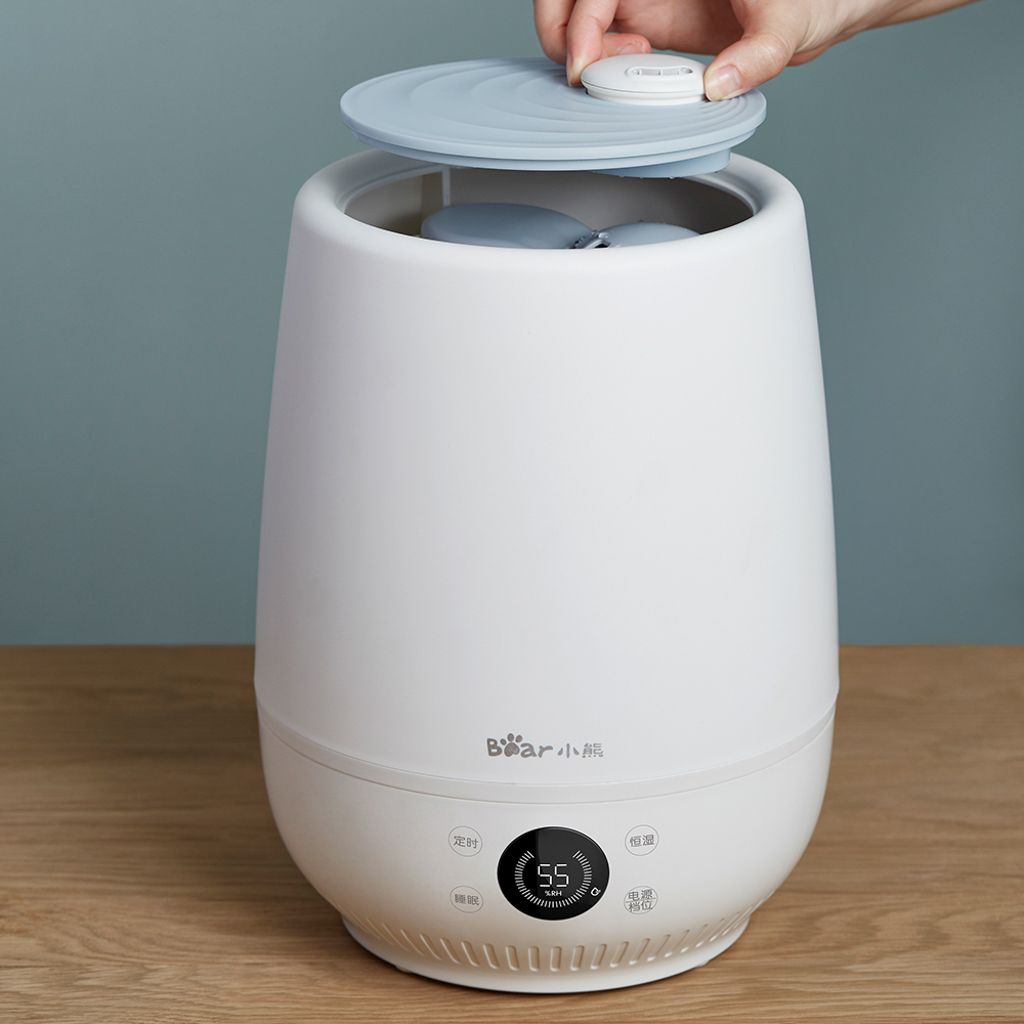
Why Bother with Humidity in the First Place?
Before we dive into the tech, let’s quickly recap why maintaining a balanced humidity level (ideally between 40% and 60%) is so important. It’s not just about comfort; it’s about your health and your home.
- Your Health and Comfort: Properly humidified air can help soothe dry sinuses, reduce bloody noses, alleviate allergy and asthma symptoms, and even help you recover from a cold faster. It also helps your skin retain moisture, keeping it from feeling tight and itchy.
- Your Home and Belongings: Dry air can wreak havoc on your house. It can cause wood floors, furniture, and musical instruments to crack and warp. It also increases static electricity—no one enjoys getting a surprise shock every time they touch a doorknob!
- Your Plants and Pets: Your houseplants will thank you for the extra moisture, and your furry friends can also suffer from dry, itchy skin in an arid environment.
So, What is an Auto Mode Humidity Sensor, Anyway?
Okay, let’s get to the main event. In the simplest terms, an auto mode humidity sensor is like a thermostat for your humidifier. A thermostat measures the temperature in your room and tells your HVAC system when to turn on or off to maintain your desired temperature. An auto mode humidity sensor does the exact same thing, but for moisture.
Here’s a breakdown of how it works:
- The Sensor (Hygrometer): The humidifier has a built-in sensor called a hygrometer. Its one and only job is to constantly measure the relative humidity (the amount of moisture in the air) in the room.
- You Set the Target: On the humidifier’s control panel, you select your desired humidity level. Most experts recommend a target between 40% and 60%.
- The Brain (Internal Logic): The humidifier’s internal processor constantly compares the hygrometer’s reading to your target setting.
- Automatic Adjustment:
- If the room’s humidity drops below your target, the humidifier automatically turns on and starts releasing mist.
- Once the humidity level reaches your target, the humidifier automatically shuts off.
- It continues this cycle 24/7, ensuring the room stays consistently within your ideal comfort zone without any effort from you.
As Dr. Eleanor Vance, an Indoor Air Quality Specialist, puts it: “The development of integrated humidistats in home appliances was a major leap forward. It moves humidification from a guessing game to a precise science, actively preventing the dual problems of overly dry and overly damp conditions, both of which have health implications.”
The Key Benefits: Why You’ll Love This Feature
This “smart” functionality isn’t just a fancy gimmick. It provides real, tangible benefits that make a world of difference.
- Effortless Comfort: This is the biggest win. You don’t have to constantly monitor the humidity or guess when to turn the machine on or off. You set it once, and the machine handles the rest.
- Prevents Over-Humidification: This is a huge deal. Too much moisture in the air can be just as bad as too little. It can lead to condensation on walls and windows, which can encourage the growth of mold, mildew, and bacteria. An auto mode ensures you never cross that line.
- Energy Efficiency: Because the humidifier only runs when it’s needed, it uses less electricity than a model that runs continuously. This is better for the environment and your wallet.
- Quiet Operation: The unit will be off for periods of time, giving you more peace and quiet compared to a machine that’s always humming in the background.
Choosing the Right Humidifier For You
Now that you understand what is auto mode humidity sensor is, you can see why it’s a highly sought-after feature. You’ll typically find it on mid-range to high-end models, most commonly ultrasonic and evaporative humidifiers.
Bảng trống.Ultrasonic vs. Evaporative Humidifiers
- Ultrasonic Humidifiers: These use high-frequency vibrations to break water into a fine, cool mist. They are known for being extremely quiet. However, if you use tap water with high mineral content, they can produce a “white dust” that settles on furniture. Using distilled water solves this problem.
- Evaporative Humidifiers: These use a fan to blow air through a wet wick or filter, causing the water to evaporate into the air. This process naturally filters out minerals, so white dust isn’t an issue. They are generally a bit louder due to the fan.
Both types work wonderfully with an auto mode feature. The choice often comes down to your preference for noise level and your willingness to buy distilled water.
How to Properly Use and Maintain Your Humidifier
Owning a humidifier is great, but it comes with a little responsibility. A dirty humidifier can release mold and bacteria into the air, which is the last thing you want. Proper maintenance is key to ensuring you’re breathing clean, healthy, humidified air.
Here is a simple routine to follow:
- Use the Right Water: To prevent mineral buildup (and white dust from ultrasonic models), distilled or demineralized water is your best bet. If you must use tap water, be prepared to clean your unit more frequently.
- Change the Water Daily: Don’t let water sit in the tank for days. Empty the tank, rinse it, and refill it with fresh water every day you use it. This prevents film and bacteria from developing.
- Clean it Regularly: The U.S. Environmental Protection Agency (EPA) recommends cleaning your humidifier every three days.
- Unplug the unit.
- Empty any water from the tank and base.
- Use a 3% hydrogen peroxide solution or white vinegar to gently scrub away any film or mineral buildup.
- Rinse all parts thoroughly with clean water to remove any cleaning solution residue.
- Let all parts air dry completely before reassembling.
- Replace Filters as Needed: If you have an evaporative model, check the filter (or wick) regularly. Replace it according to the manufacturer’s instructions, or sooner if it becomes hard with mineral deposits or gives off an odor.
Frequently Asked Questions (FAQ)
Q: What is the best humidity level for a bedroom?
A: The ideal relative humidity for a bedroom is between 40% and 60%. This range is optimal for comfortable breathing, quality sleep, and preventing the growth of mold. An auto mode humidifier makes it easy to maintain this level all night.
Q: Can I trust the built-in humidity sensor on my humidifier?
A: Generally, yes. For most homes, the built-in sensor is accurate enough to maintain a comfortable environment. However, their accuracy can be affected by placement. For the best reading, place the humidifier in a central location away from drafts, direct sunlight, or heat sources. If you want a more precise reading for the whole room, you can buy a separate, inexpensive hygrometer to place across the room.
Q: My humidifier with auto mode runs constantly. What’s wrong?
A: If your unit is always on, it likely means the room’s humidity is consistently below your target. This can happen in very dry climates, in a poorly sealed room, or if the humidifier is too small for the room size. Check that all doors and windows are closed and ensure your unit is rated for the square footage of your space.
Q: Does using a humidifier with an auto mode humidity sensor really save money?
A: Yes, it can. By only running when necessary to maintain your target humidity, it consumes less electricity over time compared to a model you leave running continuously. This leads to modest but consistent savings on your energy bill.
Q: What’s the difference between a humidistat and a humidity sensor?
A: These terms are often used interchangeably. A humidity sensor (or hygrometer) is the component that measures moisture. A humidistat is the complete control system that uses the sensor’s reading to turn the device on or off. A humidifier with “auto mode” has a humidistat.
The Takeaway: Smart Humidity for a Healthier Home
So, what is auto mode humidity sensor all about? It’s about taking the guesswork out of air quality. It’s the difference between manually managing a device and having a smart appliance that works for you, creating the perfect indoor environment without a second thought.
By maintaining that sweet spot of 40-60% humidity, you’re not just making your home more comfortable—you’re investing in your health, protecting your belongings, and creating a more pleasant space for everyone in it. When you’re ready to upgrade your air, choosing a model with this simple but powerful feature is one of the smartest decisions you can make.