Winter is here. The air is getting crisp, your skin is feeling tight, and you’re getting zapped by static electricity every time you touch a doorknob. You’ve wisely decided to bring a humidifier into your life to combat the Sahara-like conditions in your home office or living room. But as you go to set it up, you pause. Your desk is a command center of technology: a laptop, monitor, speakers, maybe even a gaming console. This leads to the crucial question: Can I Place A Humidifier Near Electronics without creating a recipe for disaster?
Let’s be real, it’s a valid concern. We’ve all been taught from a young age that water and electronics are mortal enemies. The short answer is: yes, you can, but with careful consideration. The long answer is that it’s all about understanding the risks, choosing the right type of humidifier, and following a few golden rules of placement. Think of it less as a strict “no” and more as a “proceed with caution and knowledge.” This guide will turn you into a pro, ensuring your air is comfortable and your gadgets are safe.
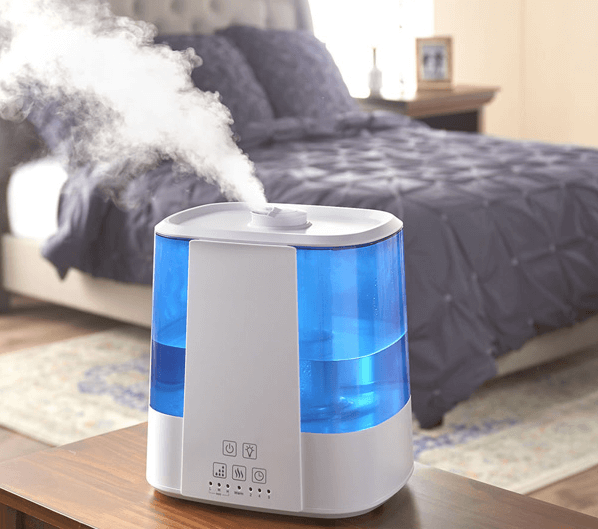
Why Water and Electronics Don’t Mix: The Real Risks
Before we dive into the “how,” let’s quickly cover the “why.” What’s the actual danger here? It’s not just about accidentally spilling the water tank on your keyboard (though that’s definitely something to avoid!). The main concerns are a bit more subtle.
- Condensation: This is the big one. When the moist air from your humidifier hits a cooler surface—like your TV screen or the metal casing of your computer—it can condense into water droplets. Think of a cold can of soda on a summer day. That moisture can seep into crevices and cause short circuits or long-term corrosion on internal components.
- Mineral Deposits (The Dreaded “White Dust”): If you use tap water, especially in a hard water area, ultrasonic humidifiers can disperse fine mineral particles into the air along with the water vapor. This “white dust” can settle on and inside your electronics, potentially gumming up fans, blocking vents, and causing overheating.
- Increased Corrosion: Over time, consistently high humidity can accelerate the corrosion of metal components inside your devices, leading to a shorter lifespan.
Not All Humidifiers Are Created Equal
The type of humidifier you own plays the biggest role in how safe it is to use around your tech. They work in different ways, which directly impacts the kind of moisture they release.
Ultrasonic Humidifiers: The Mist Makers
These are incredibly popular. They use high-frequency vibrations to break water into a fine, visible, cool mist. They’re quiet and efficient, but they are the primary culprits behind “white dust.” Because they release a tangible mist of water droplets, the risk of condensation and mineral deposits on nearby surfaces is higher.
Evaporative Humidifiers: The Gentle Breezes
These models use a fan to blow air through a wet wick filter. The water evaporates into the air as an invisible, clean vapor. They are self-regulating—as the room’s humidity increases, their output naturally decreases. Crucially, they don’t produce white dust because the minerals are left behind on the filter. This makes them a significantly safer choice for use around electronics.
Steam Vaporizers: The Warm and Clean Option
These units boil water and release warm, purified steam into the air. The boiling process kills germs and removes minerals, so there’s no white dust. The risk here is two-fold: the steam is hot, and it can release a lot of moisture very quickly, potentially leading to condensation if placed too close to a cool surface.
Expert Insight: “The key is control,” notes Dr. Eleanor Vance, an Indoor Air Quality Specialist. “You want to raise the relative humidity to the ideal zone of 40-60%. Below that, you get dry air issues; above that, you risk condensation and mold growth. An evaporative humidifier or an ultrasonic model used with distilled water, combined with a hygrometer to monitor levels, is the safest combination for a tech-heavy room.”
How to Safely Place a Humidifier Near Electronics
Alright, you understand the risks and know your humidifier type. Now, let’s get to the practical, actionable steps. Following these rules will allow you to enjoy the benefits of humidified air without putting your expensive gadgets in jeopardy.
- The 3-Foot Rule (At a Minimum): As a general rule of thumb, place your humidifier at least 3 to 6 feet (about 1-2 meters) away from any electronic devices. This distance gives the mist or vapor time to disperse and be absorbed into the air, rather than settling directly on your equipment.
- Aim Away, Not Towards: This seems obvious, but it’s the most common mistake. Check the nozzle or mist outlet on your humidifier and ensure it’s pointing away from your laptop, TV, or speakers. You want to humidify the room’s air, not give your monitor a direct shower.
- Elevation is Your Friend: Place the humidifier on a small table or stand that is slightly lower than the surface of your electronics. This encourages the mist to dissipate into the room’s atmosphere rather than drifting downwards onto your desk or entertainment center. Make sure the surface is waterproof and level.
- The Water Matters (A Lot!): If you have an ultrasonic humidifier, this is non-negotiable. Always use distilled or demineralized water. This type of water has had its minerals removed, completely eliminating the risk of white dust that can harm your electronics and your lungs. It’s a small investment that protects your much larger investment in technology.
- Monitor, Don’t Guess: You can’t feel the difference between 55% and 65% humidity, but your electronics can. Purchase an inexpensive digital hygrometer. This little device will give you a precise reading of the room’s relative humidity. Your goal is to keep it consistently between 40% and 60%. If you see it creeping above 60%, turn the humidifier down or off for a while.
Spotting Trouble Before It Starts
Stay vigilant and look for these warning signs that your humidity levels are too high or your humidifier is too close:
- Visible moisture or fogging on your computer monitor, TV screen, or windows.
- A fine, white, chalky powder settling on surfaces around the room.
- Any feelings of dampness on papers, books, or furniture.
- A musty or mildewy smell, which indicates that mold might be starting to grow.
If you notice any of these signs, turn off your humidifier immediately and reassess your setup.
Frequently Asked Questions
Q: How far should a humidifier be from my laptop?
A: A safe distance is at least 3-6 feet away. Never place a small, personal humidifier directly on your desk next to your laptop. The concentrated mist can easily cause damage over time. Always ensure the mist is directed away from the computer.
Q: Can a humidifier ruin a TV?
A: Yes, it absolutely can if placed too close. The moisture can get inside the vents and cause short circuits or long-term damage to the delicate internal components. Keep the humidifier on the other side of the room, well away from your entertainment center.
Q: Is an evaporative or ultrasonic humidifier better for an office with computers?
A: An evaporative humidifier is generally the safer choice. It produces an invisible vapor and leaves minerals behind, eliminating the risk of white dust and reducing the chance of direct condensation. If you must use an ultrasonic model, using distilled water is essential.
Q: Does using distilled water really make a difference?
A: Yes, it makes a massive difference, especially with ultrasonic models. Using tap water can be like spraying a fine layer of dissolved rock all over your room. Distilled water is pure H2O, which means pure, clean vapor and no harmful mineral dust.
Q: What happens if my room humidity goes above 60%?
A: Consistently high humidity above 60% creates an ideal breeding ground for mold, mildew, and dust mites. For your electronics, it dramatically increases the risk of condensation and corrosion. It’s crucial to monitor and maintain the proper humidity level for the health of both you and your devices.
The Final Verdict: Coexistence is Key
So, can you enjoy the sinus-clearing, skin-soothing benefits of a humidifier in the same room as your precious electronics? Absolutely. The relationship doesn’t have to be complicated; it just requires a bit of mindfulness.
By choosing the right type of unit for your space, being strategic with placement, using the correct kind of water, and monitoring the ambient humidity, you can create a perfectly balanced and healthy indoor environment. It’s all about making the moisture work for you, not against your technology. Now that you know the rules, mastering the art of where to place a humidifier near electronics is a crucial step toward achieving total home comfort without any of the risks.